GeoMarmot

A lightweight, web-based spatial ETL. Wire transformers on a canvas and watch your data flow, all in your browser.
GeoMarmot is a browser-native spatial ETL workbench. DuckDB-Wasm does the work in your own tab: files you open are never uploaded, and remote files are read with HTTP range requests, so only the parts a query needs are downloaded.
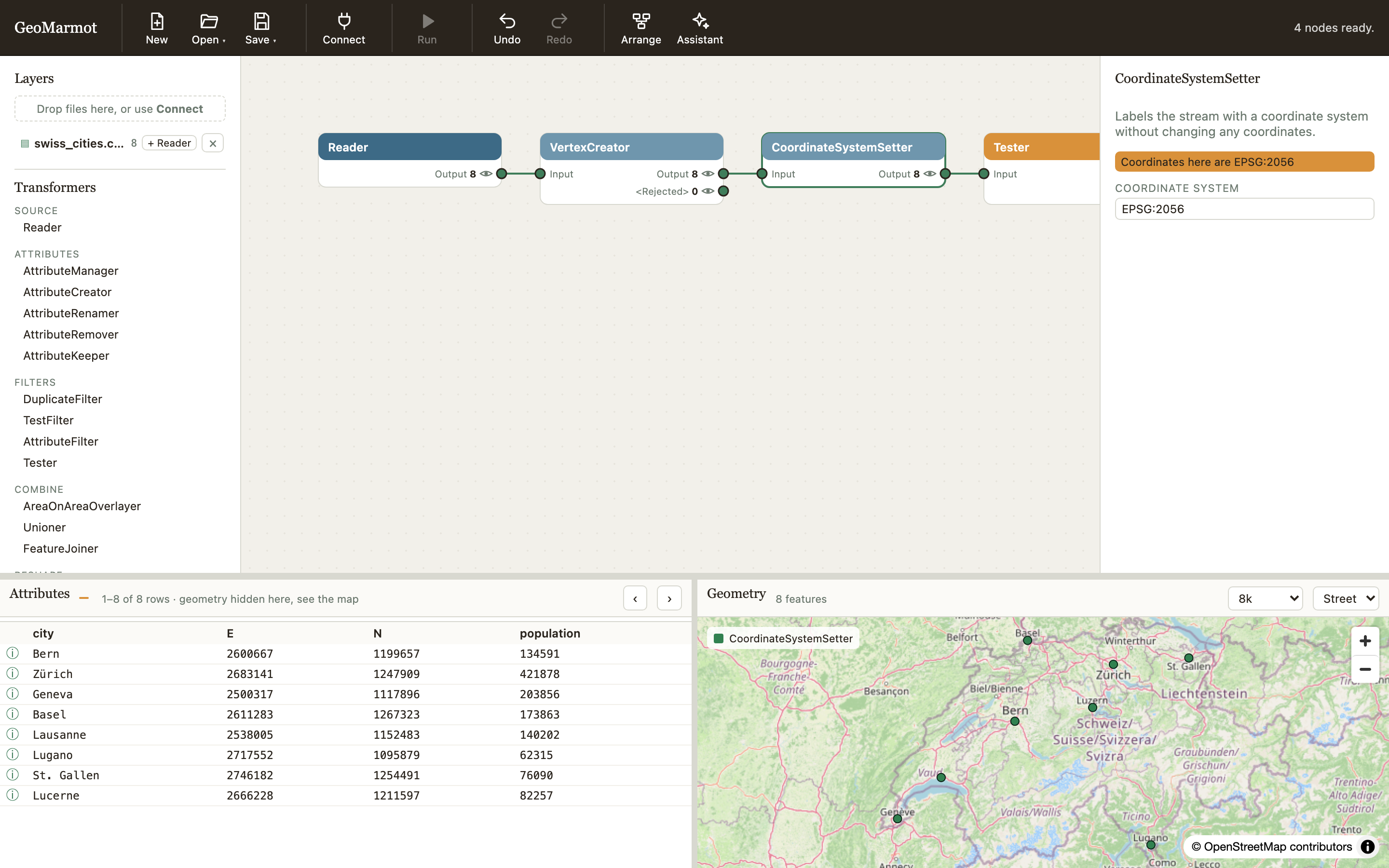
Why GeoMarmot
GeoMarmot comes out of years of building spatial ETL pipelines with proprietary tools. Those tools are powerful, but closed, expensive, and slow to change. AI-assisted development has changed what a small open-source project can do: transformers, readers and fixes can now be written, tested and reviewed quickly, so an open spatial ETL can grow and improve with its community rather than wait on a vendor. GeoMarmot is built to be extended that way — every transformer is one small folder with its tests and documentation, and the rules are written down for people and coding agents alike (CONTRIBUTING).
Why a marmot?
- Small and light. Spatial ETL usually means a heavy desktop suite, a licence server or a spatial database to set up. GeoMarmot is a web page: the geoprocessing runs in your browser tab, with DuckDB spatial, GDAL and PROJ built in.
- It digs tunnels through the terrain. A marmot's burrow is a network of tunnels under the landscape; a GeoMarmot graph is a network of tunnels your layers flow through — read, reproject, overlay, buffer, aggregate to H3, write out — one transformer to the next.
- It doesn't try to be a whole GIS, and it doesn't disturb anything. No digitising, no map layout, no cartography: it moves and transforms spatial data, and leaves the rest to your GIS. In return it touches nothing: no install, no server to run, no database to load, and your datasets never leave your machine.
- It knows when to rest. Marmots hibernate. GeoMarmot computes nothing until you look: each transformer is a view, woken up only when the table, the map or an export reads it — so a large GeoParquet or a whole H3 tile costs only what you actually draw or write.
- It whistles when something is wrong. A marmot whistles to warn the colony. GeoMarmot warns when coordinates are not what they claim to be — a projected layer with no CRS, two inputs in different coordinate systems — before a wrong map or a wrong export does.
What it does
- Transformers for attributes, filters, joins and overlays, reshaping, geometry, analysis and H3 — each one a DuckDB view per output port, so nothing is computed until you look at it.
- Common spatial and tabular formats, read from your disk, a URL or a cloud bucket, and written back out (formats).
- Coordinate systems are tracked through the graph; the map draws lon/lat and anything PROJ can bring back to it.
- Save your work as a file on your computer, or as named workspaces kept in the browser (using GeoMarmot).
- Works offline once installed: every dependency and DuckDB extension ships with the app.
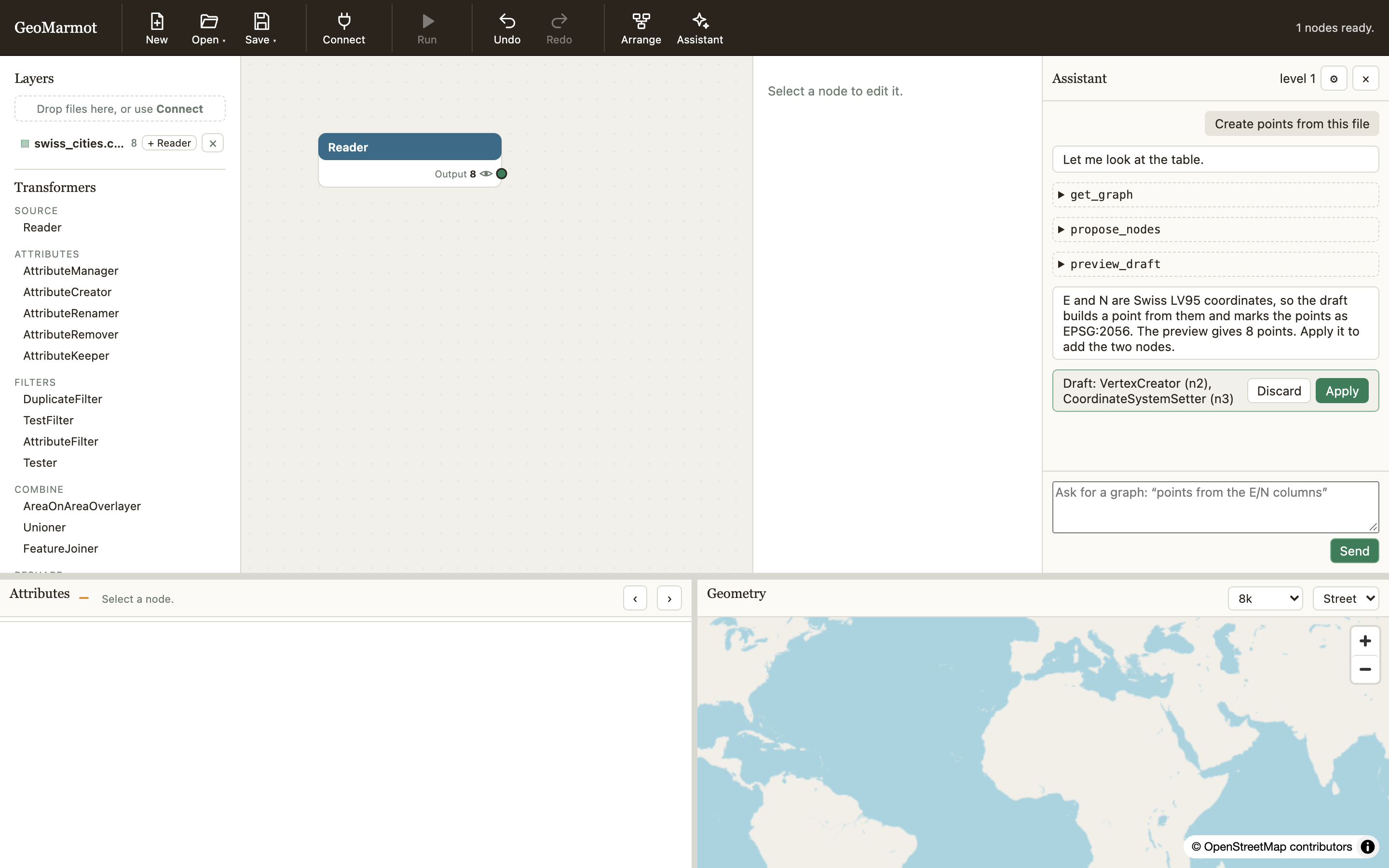
- An optional assistant builds graphs from a request, with Claude or OpenAI models. It proposes a draft you preview and apply; you choose what it may see of your data, and by default that is column names and types only (security).
Run it
GeoMarmot is not published as a package. There are two ways to use it.
1. In your browser, at the hosted demo
Open https://regislon.github.io/geomarmot/demo/. Nothing to install: the app runs entirely in your tab, and the files you open stay on your machine. The hosted copy has no server behind it, so buckets are read there with a Google sign-in instead of your gcloud credentials; the assistant works with an API key you type into its settings.
2. From a clone of the repository
You need Node 22 and, for the local server, uv.
git clone https://github.com/regislon/geomarmot.git
cd geomarmot
npm ci
npm run build
cd server && uv run geomarmot    # opens http://127.0.0.1:8765 in your browser
The local server adds what a browser cannot do alone: reading gs:// buckets with your own cloud
credentials, browsing buckets, and letting the assistant use a key from your environment
(ANTHROPIC_API_KEY or OPENAI_API_KEY) instead of one typed into the page. It only listens on
127.0.0.1 and refuses any other Host: remote access is not supported.
To build and run it as a container instead:
Open the link the container prints.
Develop
npm ci
npm run dev                # Vite on http://localhost:5173
npm run check              # lint, types, unit tests and the repository gates
npm run test:browser       # every browser suite, in Chromium
Adding a transformer takes three files and about ten minutes: see CONTRIBUTING.md. Coding agents start from AGENTS.md.
| Using GeoMarmot | the toolbar, saving and opening, running the Writers, the assistant |
| Architecture | how a file becomes a view, generations and leases, the assistant |
| Transformer API and params | the contract every transformer follows |
| Engines | DuckDB-Wasm, GDAL, JSTS, h3-js, zarrita, SheetJS — and their limits |
| Formats | what reads and writes what, and how |
| Security and privacy | the local server, the SQL boundary, the assistant's data levels |
| Parity, debt | what was kept from the original app, and what is left to do |